Chess in person

One phone. Two players. One table.

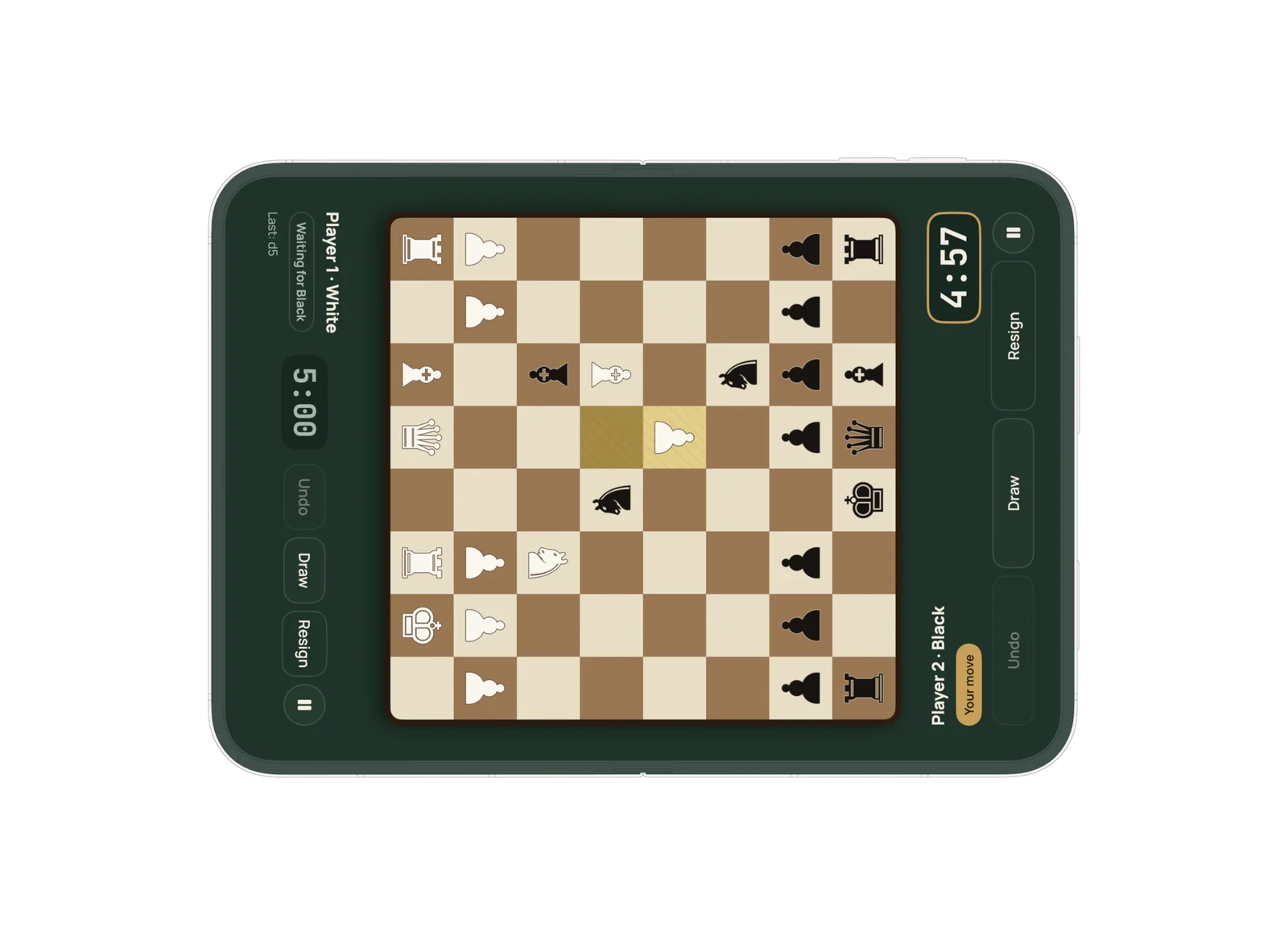
Lay your phone flat between you. Each side of the screen turns toward its player, with its own clock, buttons and pieces facing the right way. Playing on a real board? Set the app beside it as your clock and scoresheet.

Coming soon on theApp Store
  • No subscription
  • No ads
  • Works offline
A face-to-face game on an unfolded iPhone Duo lying flat. Player 1's clock and buttons face the left edge, Player 2's face the right edge, and the board sits between them.

How it works

As easy as setting up a real board

No accounts, no pairing, no passing the phone back and forth. Sit across from each other and play.

  1. Lay it flat

    Put the phone or iPad on the table between you. Each player gets their own side of the screen.

  2. Draw for colors

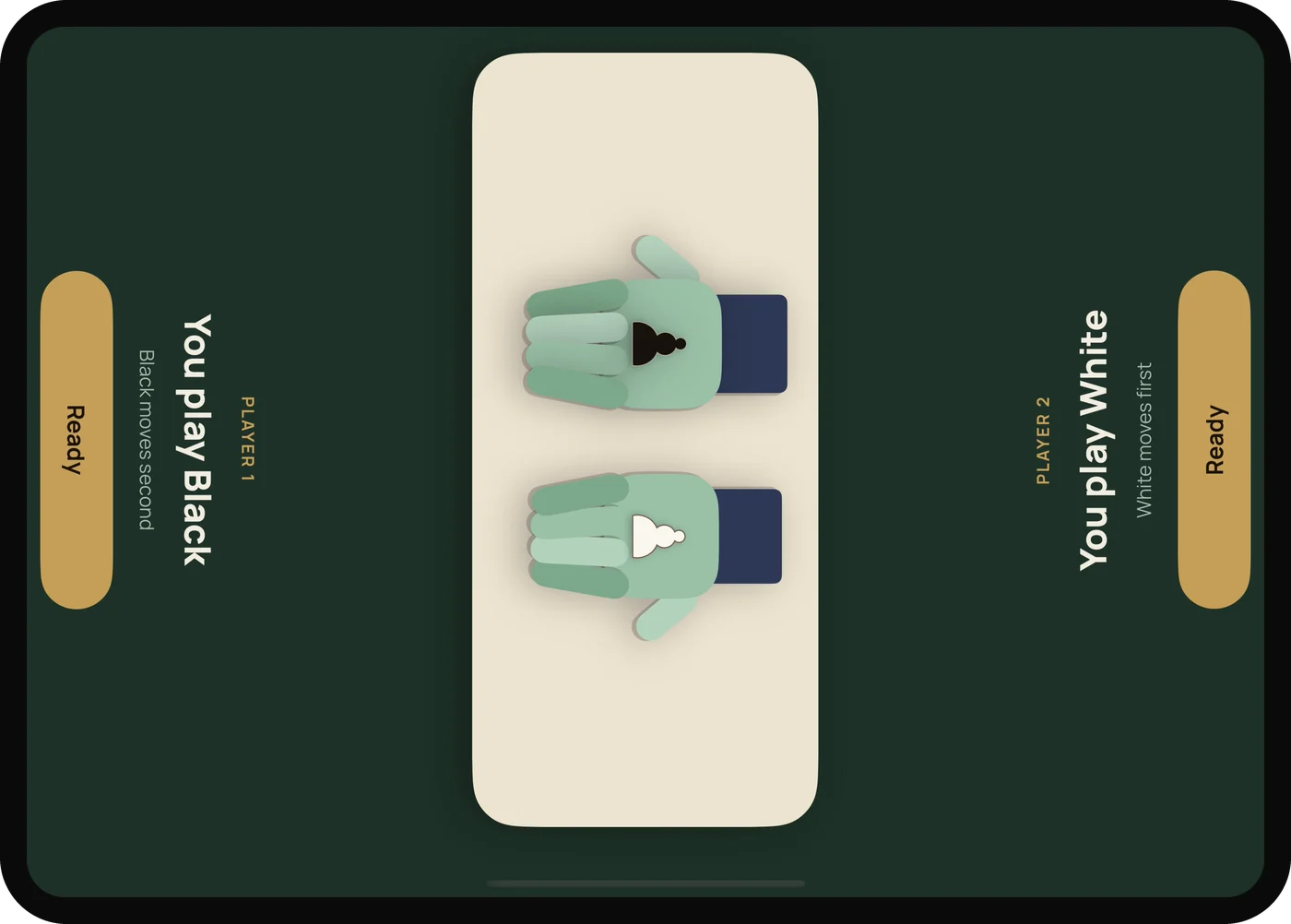
    Two paper hands, one hiding a white pawn and one a black. Player 1 picks a hand. Rematches swap colors.

  3. Play

    Only the side to move can touch the pieces, so a stray elbow never ruins the game.

The color draw: two paper hands open to show a black pawn and a white pawn. Player 1’s side says “You play Black”, Player 2’s side says “You play White”, each with a Ready button.

On a real board

Bring the app to your board

Playing on a wooden set? The Tools tab turns your phone into the clock and scoresheet beside it. Tap your half of the clock after each move, then write the move while your opponent thinks.

Start a game on a board

One button runs the whole game: colors, clock and scoresheet, in order.

  1. Draw colors with the two paper hands
  2. Each player taps their half of the clock after moving
  3. The player who just moved writes the move on their half
  4. The game is saved like any other, ready to replay or share
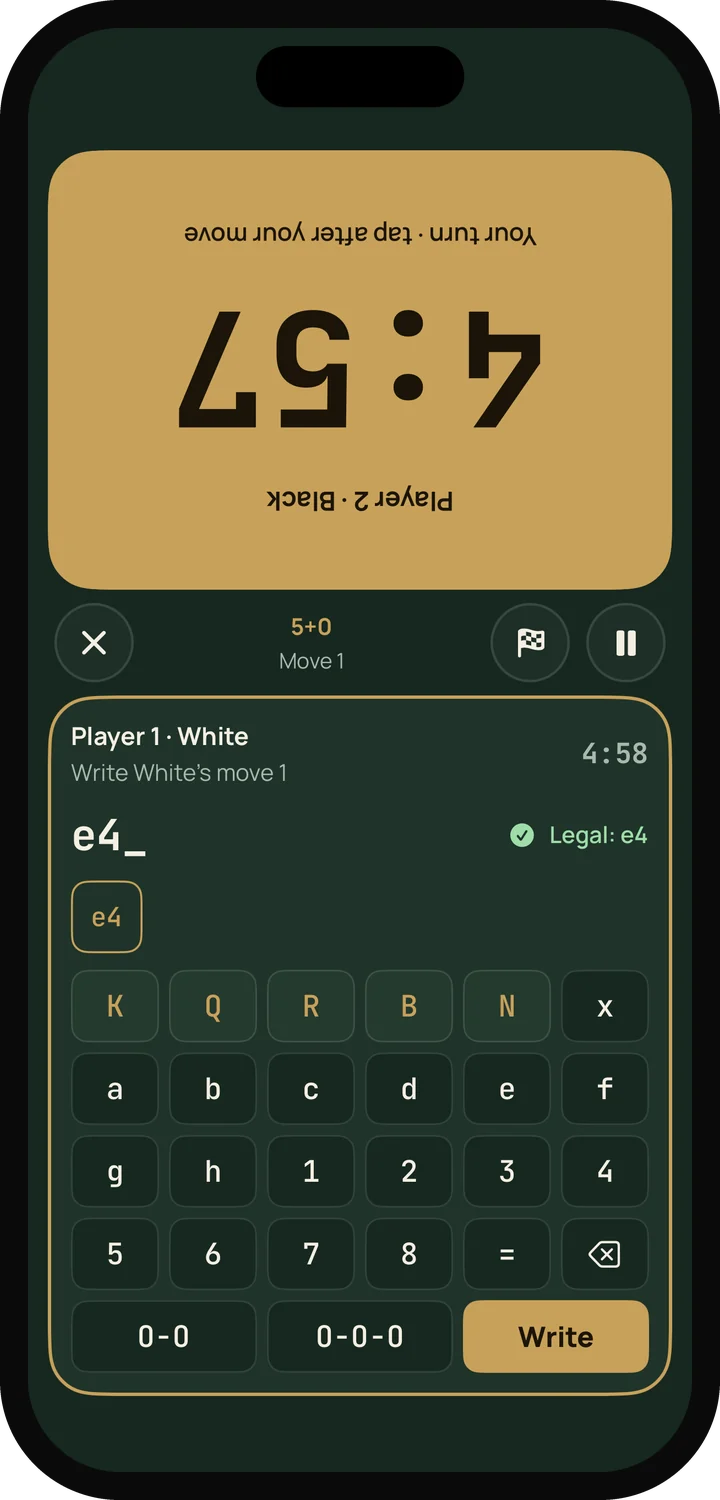
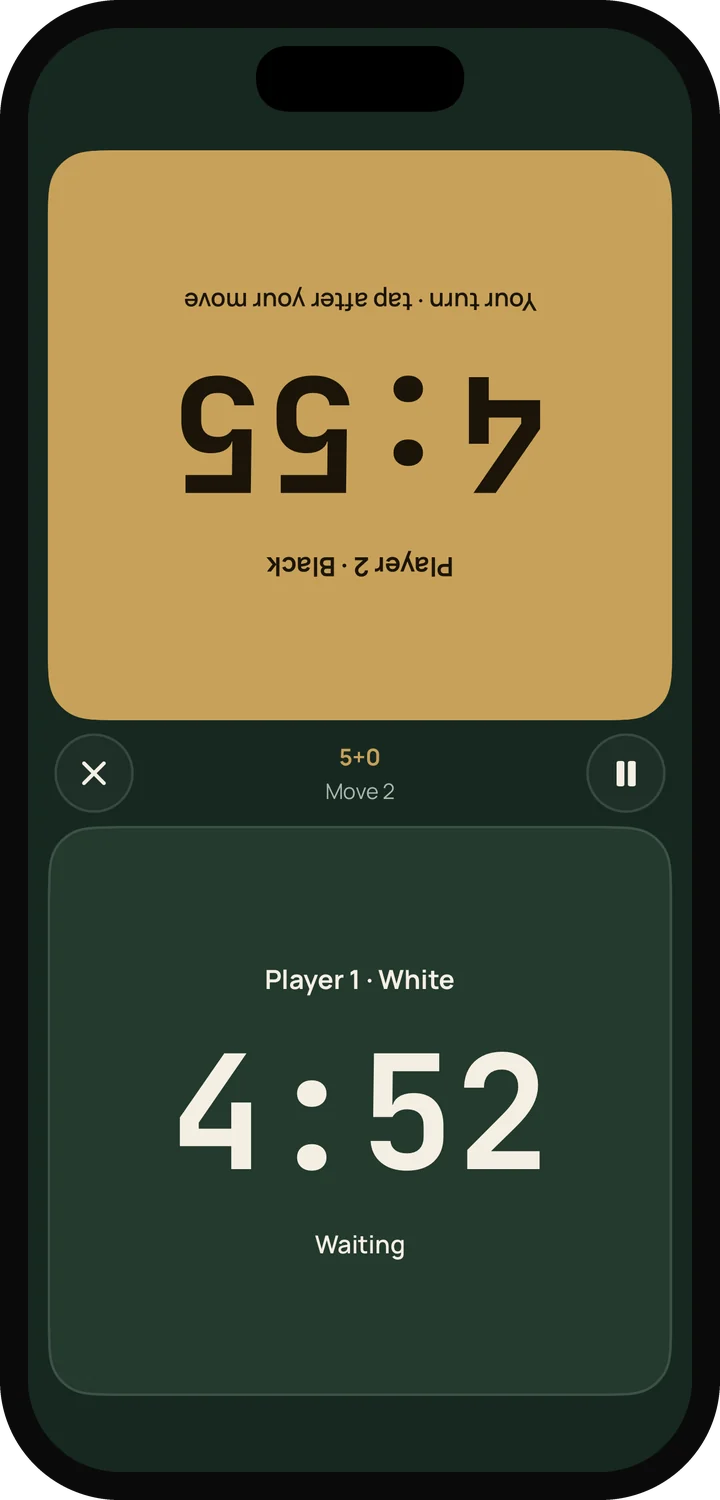
A game on a real board: Black's half of the clock is running at the top, turned toward Black, and White's half shows the notation keypad with e4 typed in. The split-screen chess clock on an iPhone. The top half, turned toward the far player, is running; the move counter sits in the middle.

A scoresheet that checks every move

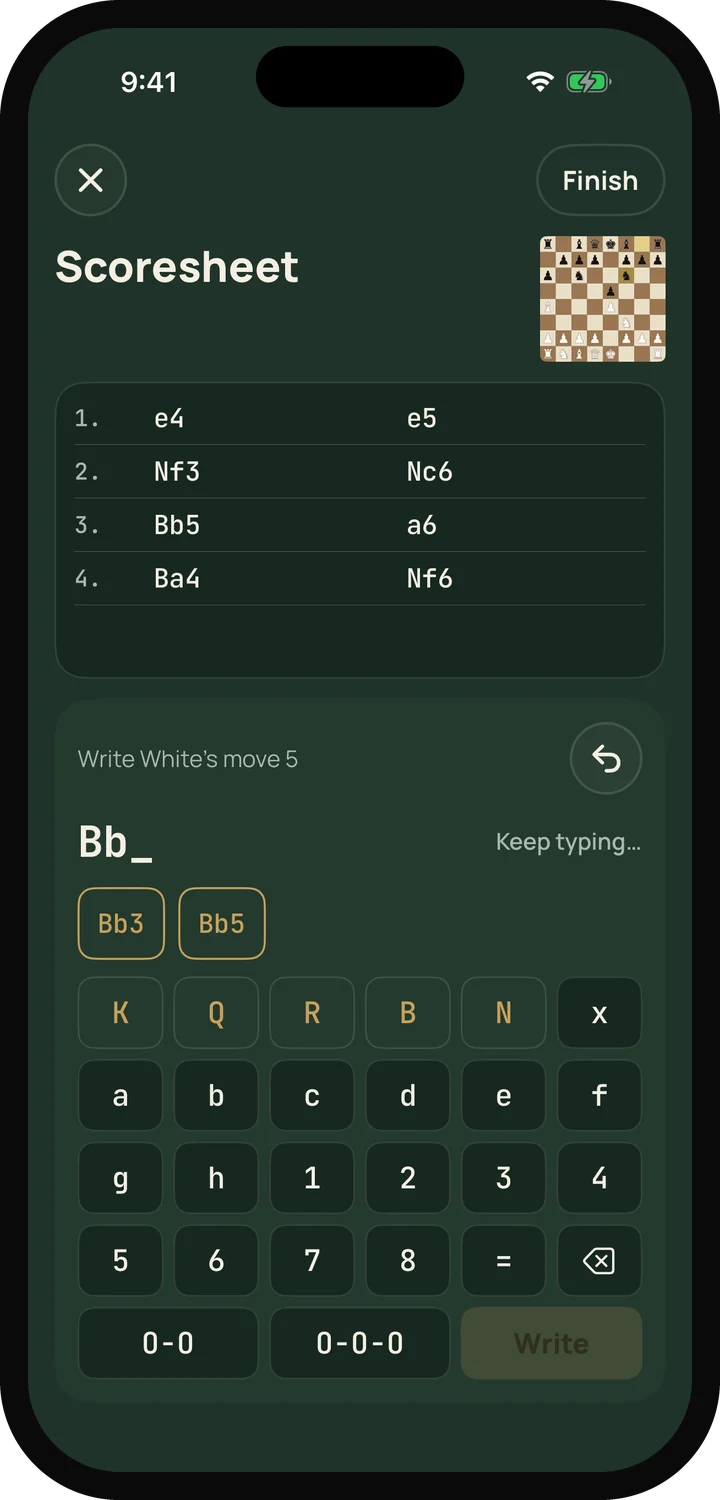
Write the game with a notation keypad instead of a pencil. Every move is checked against the position as you type, with suggestions, so the record is always a legal game.

  • Fix the last move if you wrote it wrong
  • Saved games replay move by move
  • Share as PGN, an image of the final position or a short GIF
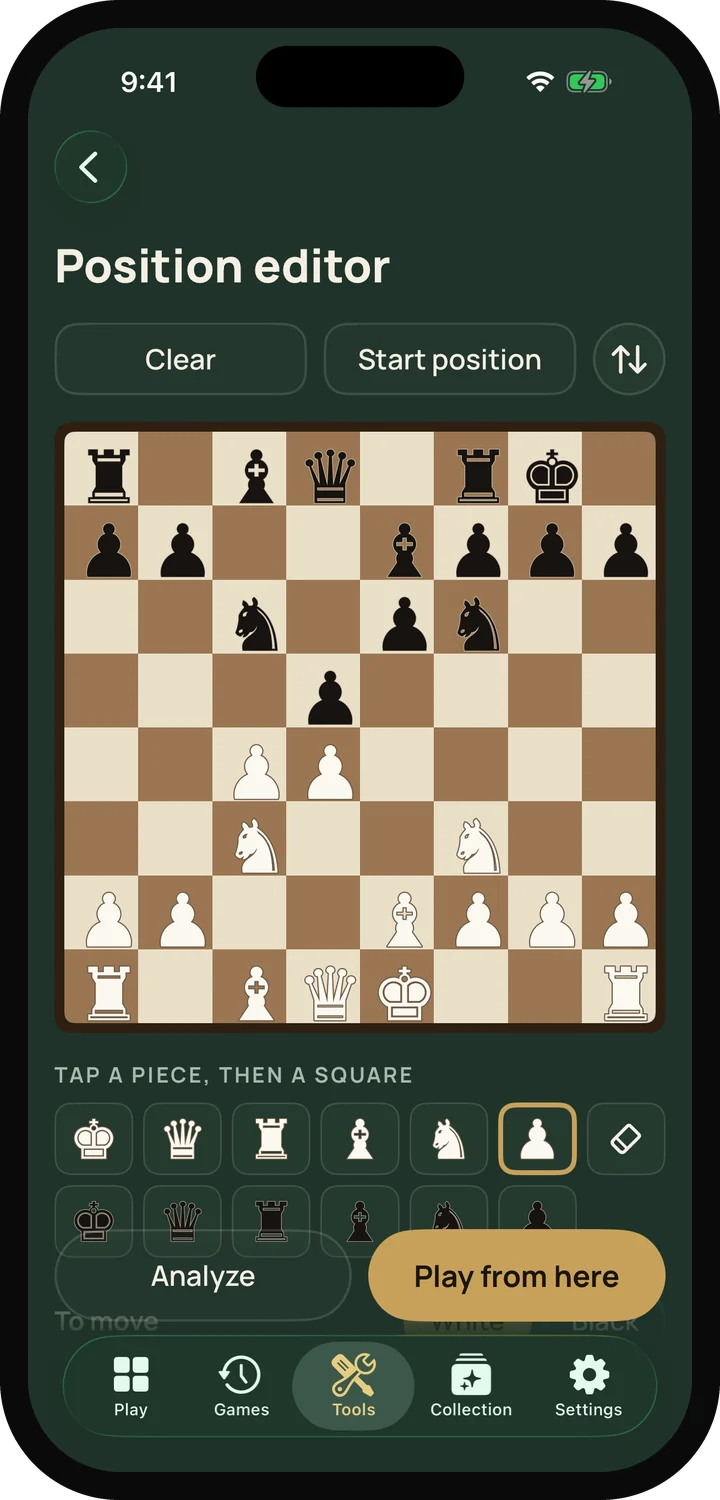
The scoresheet on an iPhone: eight moves of a Ruy Lopez written in two columns, and the keypad below with suggestions for the next move. The position editor on an iPhone: a middlegame position set up on the board, with a row of pieces to place and buttons to analyze or play on.

Clock

Split screen, with the far half turned toward the far player. Increment, Bronstein delay, and different time for each player when one needs a head start.

Color draw

The paper-hand draw on its own, for deciding who plays White before any game.

Scoresheet

A notation keypad that checks each move. Use it alone, or let the clock ask for each move.

Position editor

Set up a position from a book or a game, then analyze it or play on against a friend or the computer.

Coming soon: a board scanner that sets up the position from a photo of your board.

Features

Built for playing at the table

A fair game for everyone

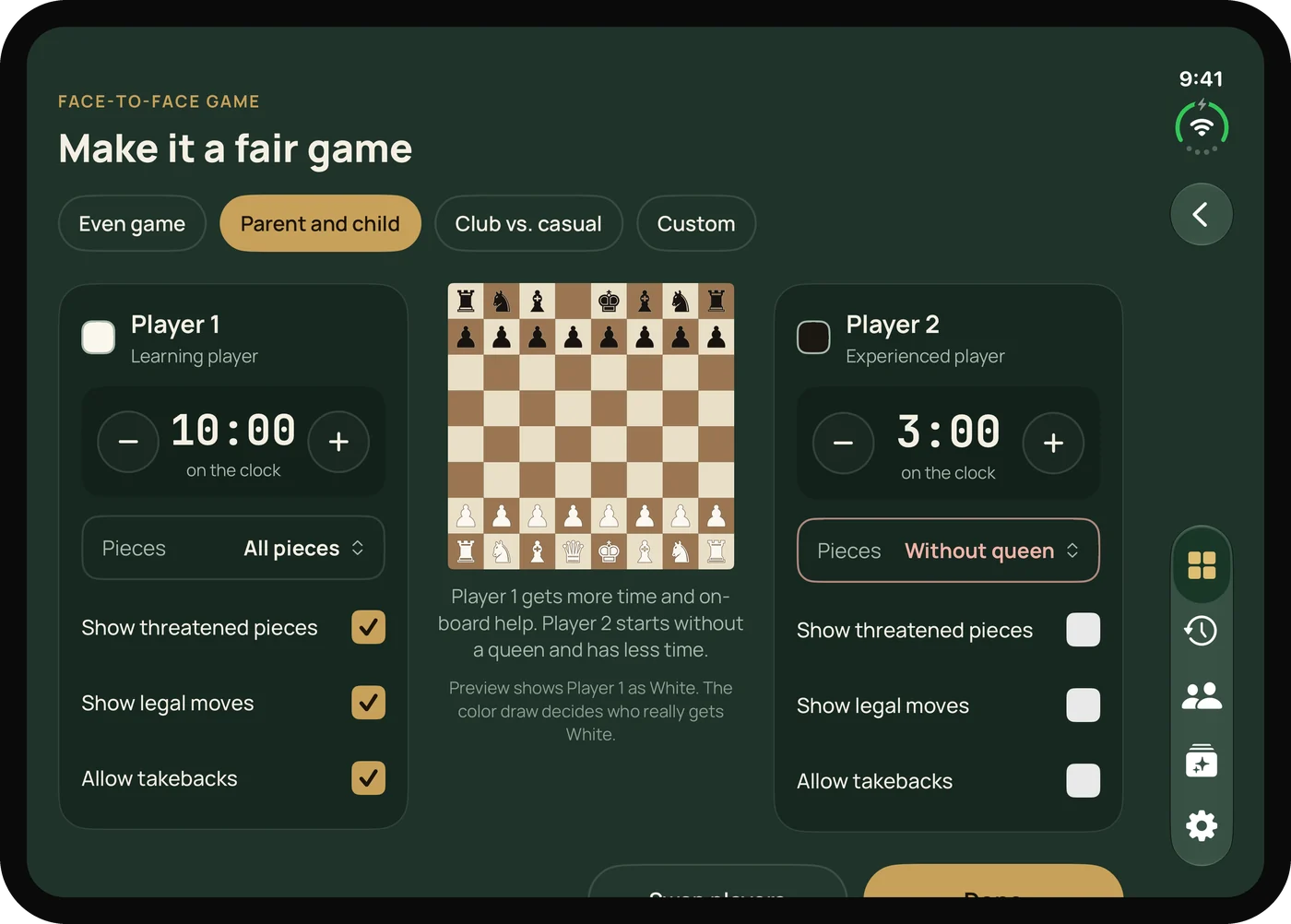
Playing a child, or a friend who just learned the moves? Even things out without making it feel like charity.

  • Presets: Even game, Parent and child, Club vs. casual, or Custom
  • Different time on each clock
  • Piece odds: start without a queen, a rook or a knight
  • Helpers for one player only: threatened pieces, legal moves, takebacks
The fair play setup. Player 1 has 10 minutes, all pieces and every helper turned on. Player 2 has 3 minutes and starts without a queen.

Two players, one screen

Touch rules designed for two people leaning over the same glass.

  • Only the player whose turn it is can move pieces
  • Palms and resting fingers near the edge are ignored
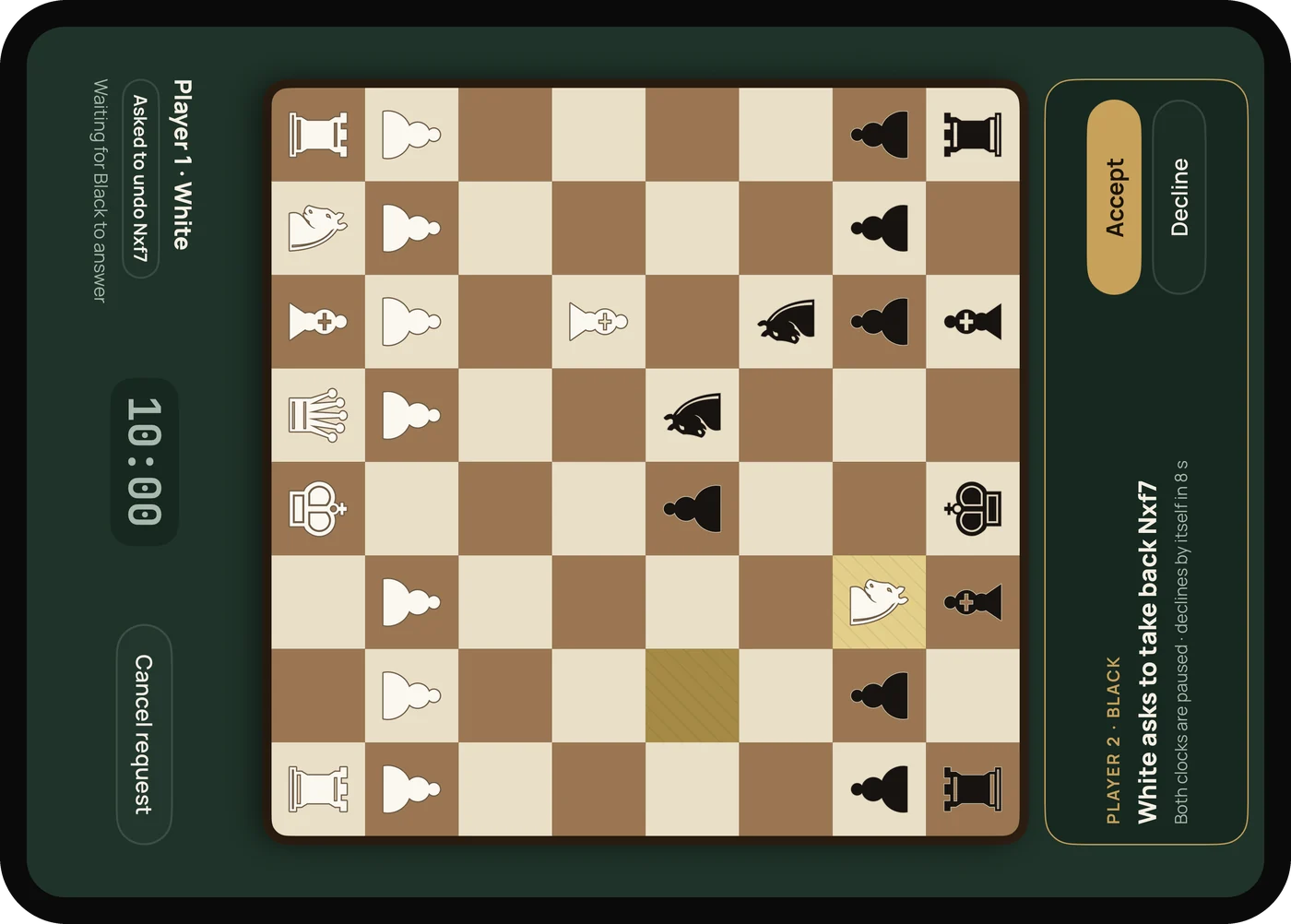
  • Undo is a request: it appears on your opponent's side and pauses both clocks
  • Resigning takes a deliberate press and hold
An undo request during a face-to-face game. Player 2's side reads “White asks to take back Nxf7” with Accept and Decline buttons, and both clocks are paused.

Play the computer on your own

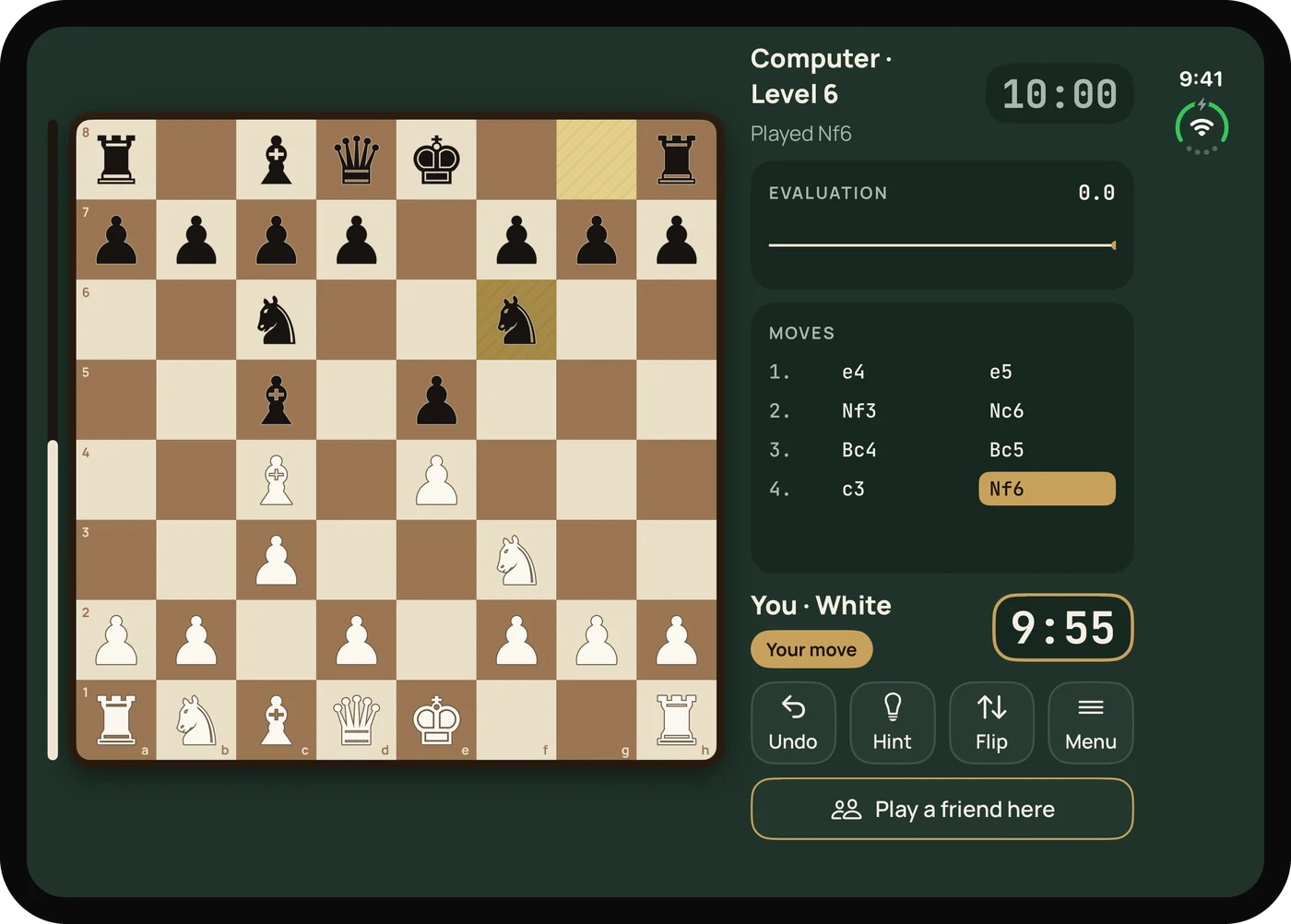
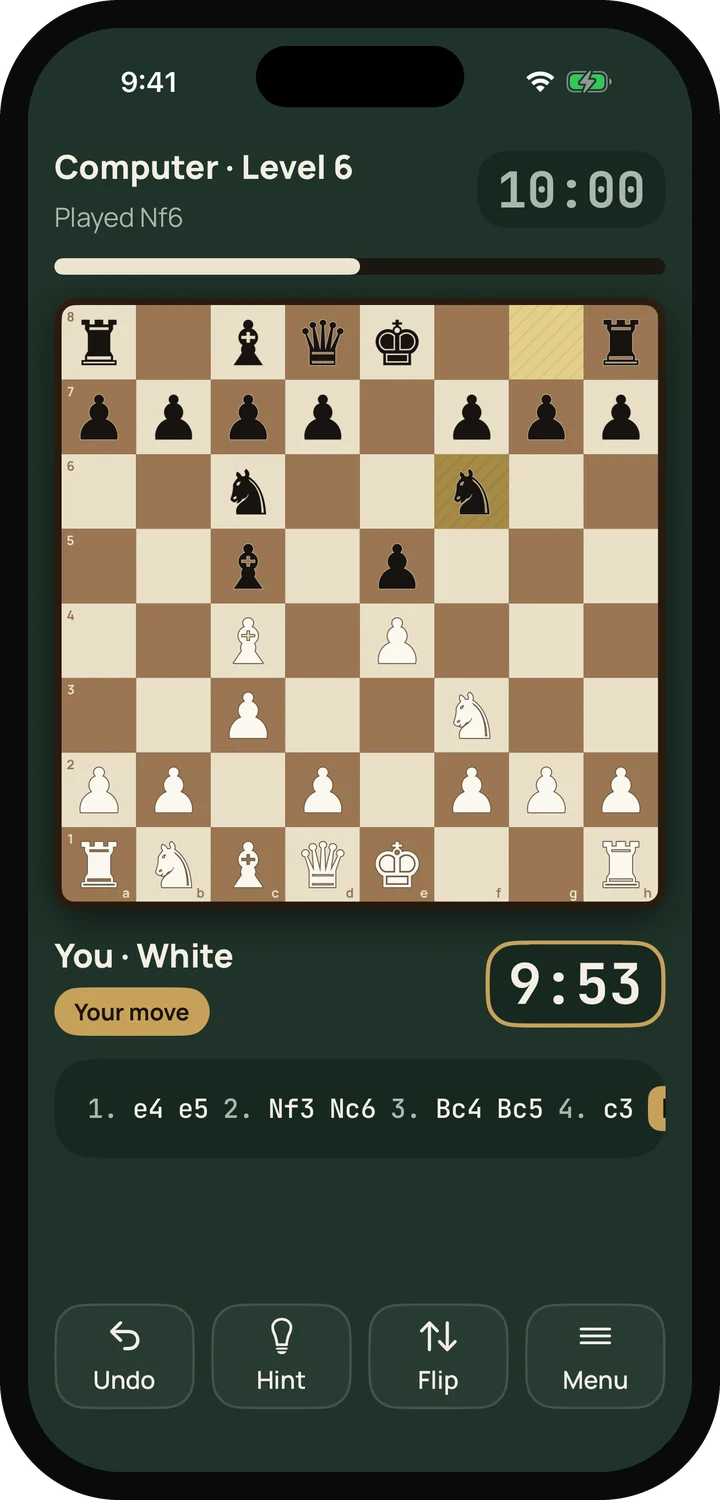
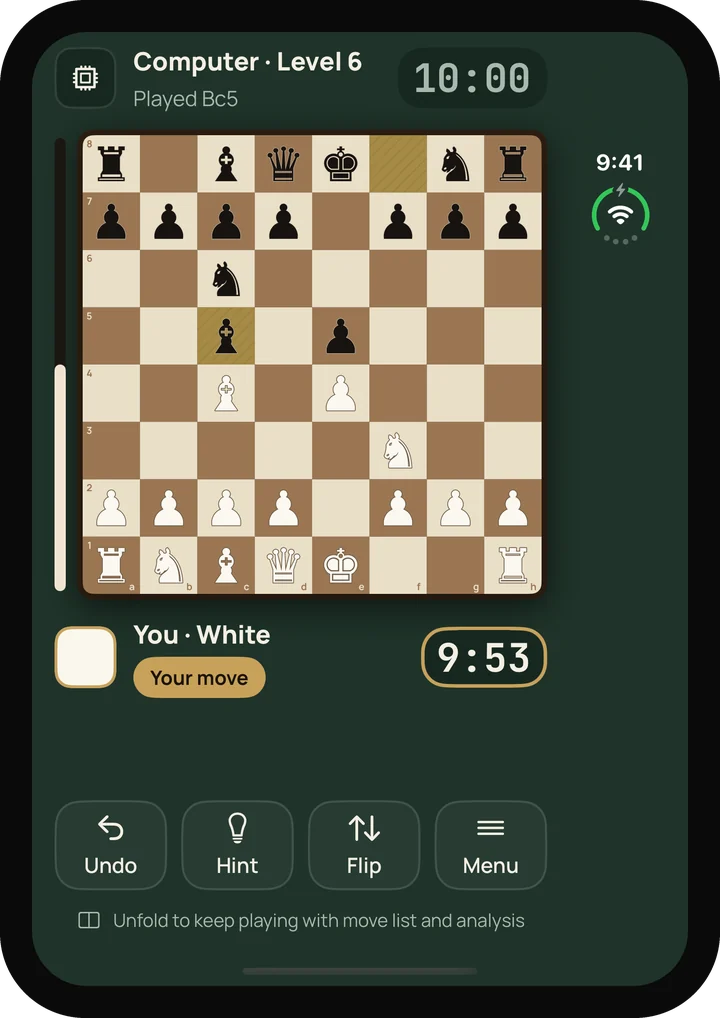
Ten levels, from a gentle first opponent to a real challenge. Ask for a hint when you're stuck, take a move back, and keep an eye on the evaluation bar.

  • Levels 1 to 10
  • Hint, undo and flip, always within thumb reach
  • Blitz to classical clocks, or no clock at all
Solo game on the unfolded iPhone Duo: the board on the left; on the right the evaluation graph, the move list and a “Play a friend here” button. Solo game against Computer Level 6 on an iPhone, with Undo, Hint, Flip and Menu buttons below the board.

Every game saved, every game explained

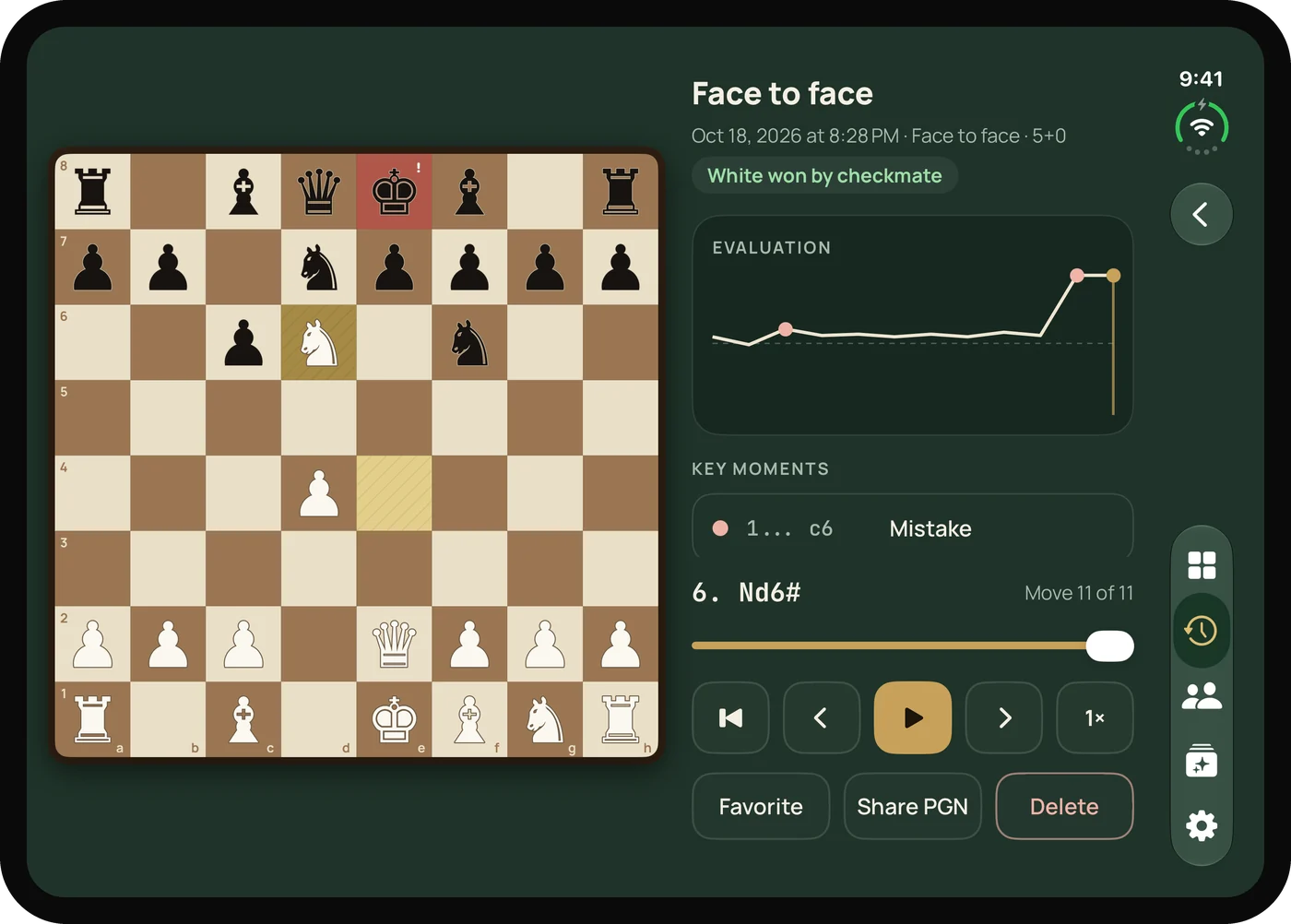
Games save themselves, including the ones you write on the scoresheet. Replay them move by move, and see where the game turned.

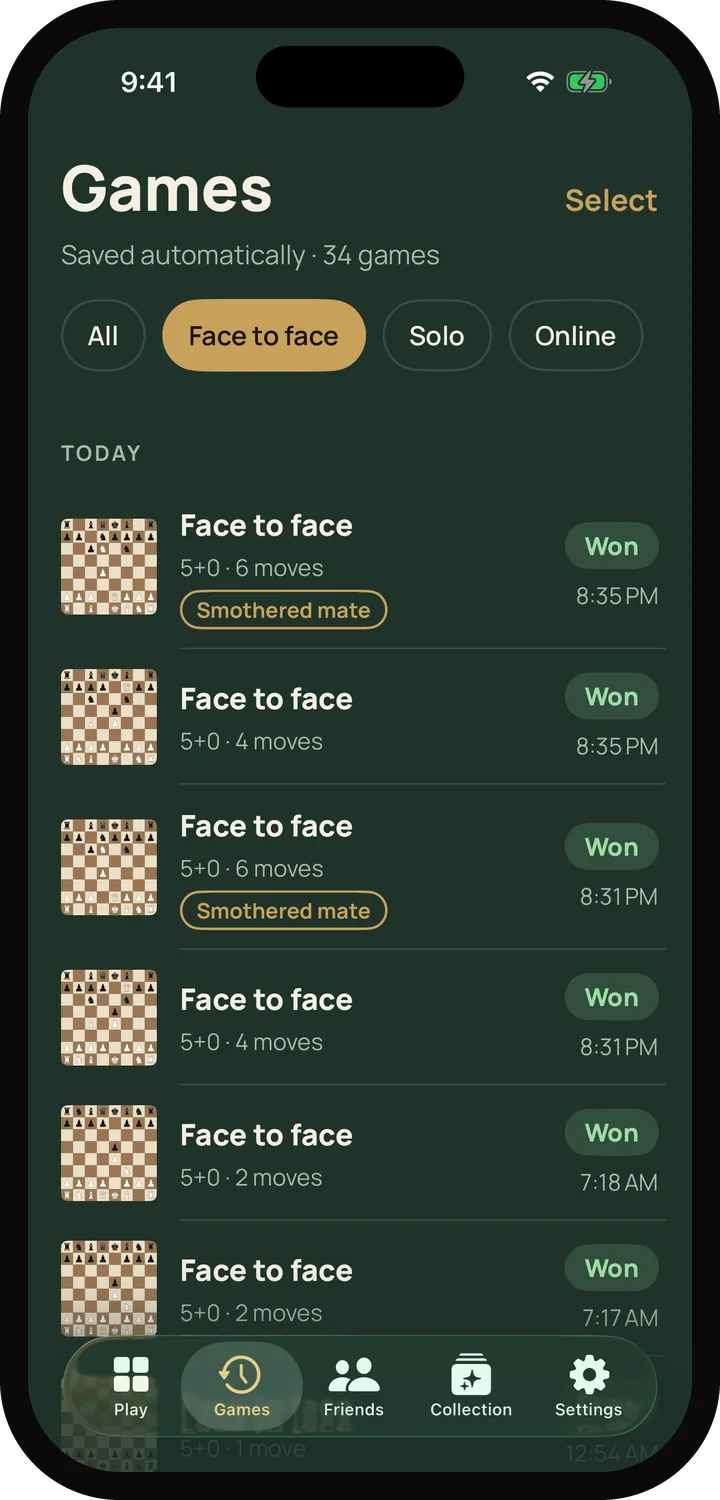
  • History with filters for face to face, on a board, solo and favorites
  • Evaluation graph, mistakes, blunders and turning points
  • Share any game as PGN, an image or a GIF
Replaying a saved game: the board on the left, and on the right an evaluation graph with key moments: an early mistake and the smothered mate that ends the game. The saved games list on an iPhone, grouped by day, with results and filter chips at the top.

Collect rare moves

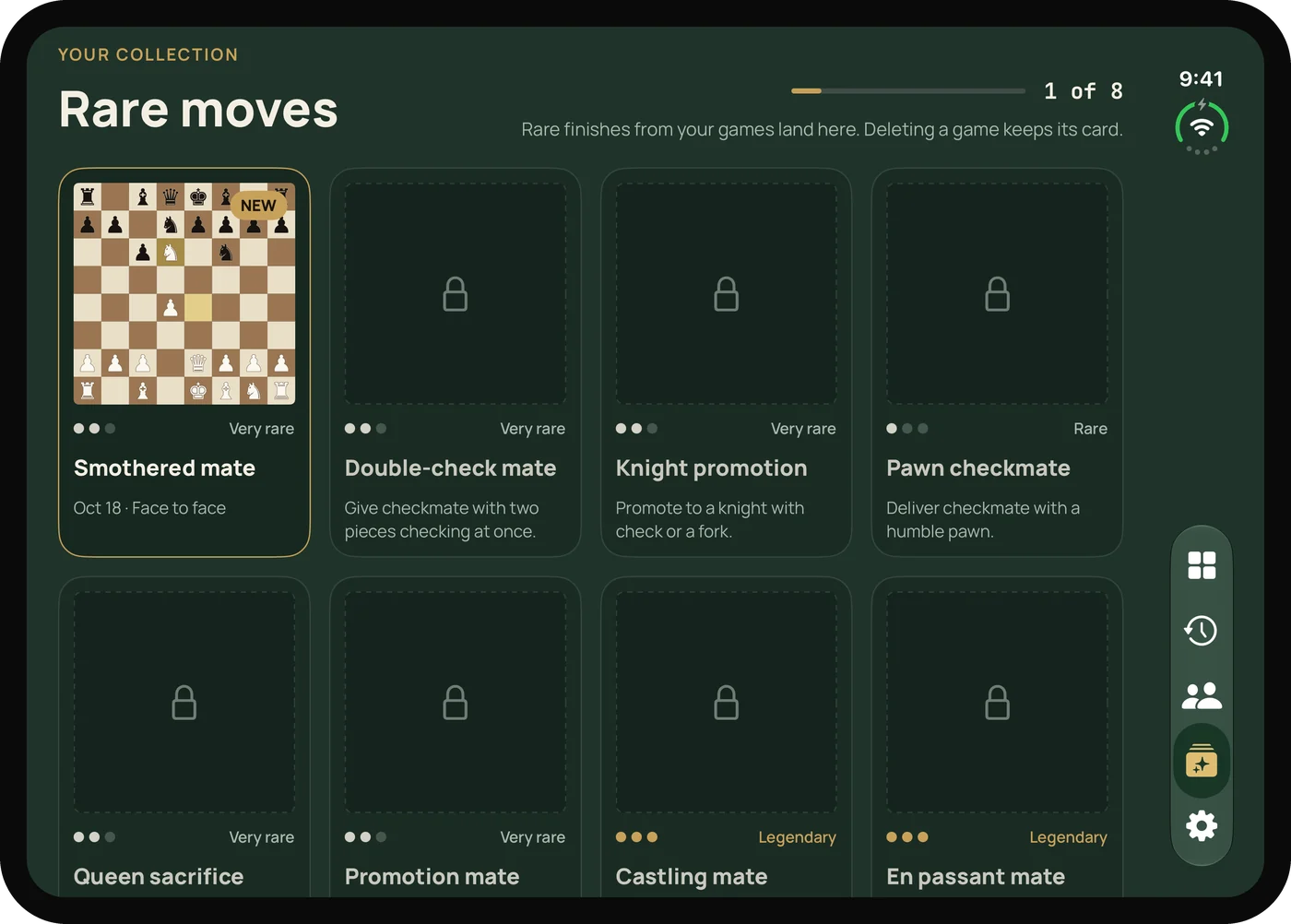
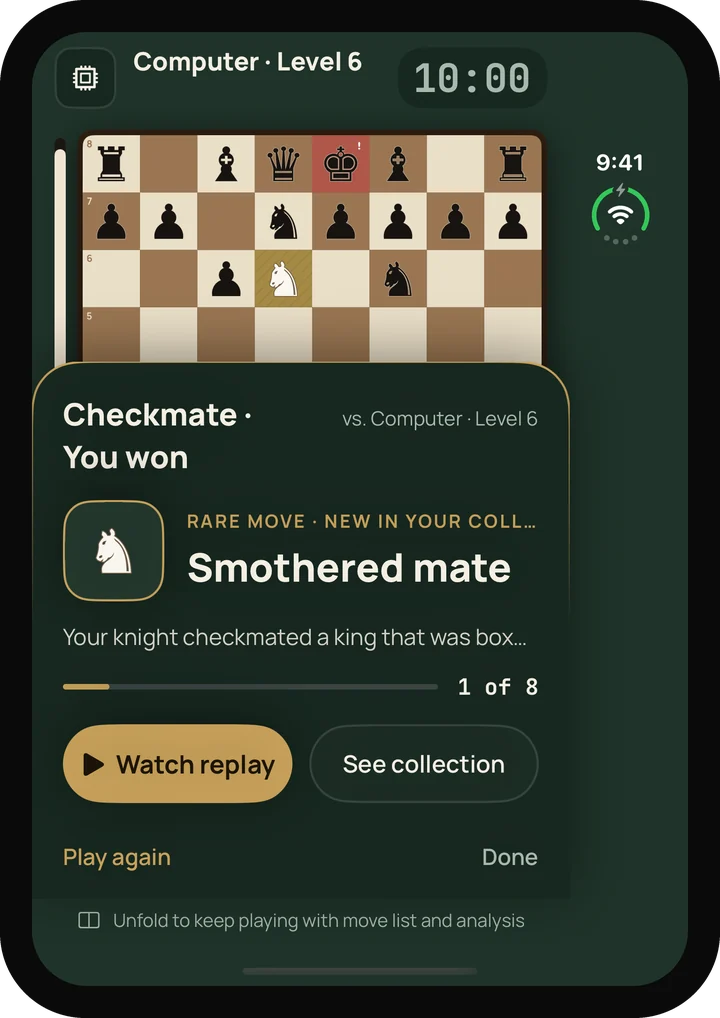
Pull off something special and it goes into your collection, frozen at the exact position. Eight cards to find, two of them legendary.

  • Smothered mate, double-check mate, pawn checkmate
  • Knight promotion, promotion mate, queen sacrifice
  • Legendary: castling mate and en passant mate
The rare moves collection: the smothered mate card earned, and seven more still locked. A new card earned after a win: “Smothered mate”, with buttons to watch the replay or see the collection.

Wood, felt and bells

Soft wooden piece sounds and gentle chimes, one per move. Every sound has a matching haptic.

Accessible from day one

Full VoiceOver support with spoken moves, highlights that don't rely on color, Dynamic Type and Reduce Motion.

Real chess clocks

1+0 bullet to 15+10 rapid, or untimed. Clocks pause the moment the phone leaves the table.

Devices

Made for the iPhone Duo. Great on every iPhone and iPad.

The game decides how it behaves, not the hinge. Folding only changes the space you play in.

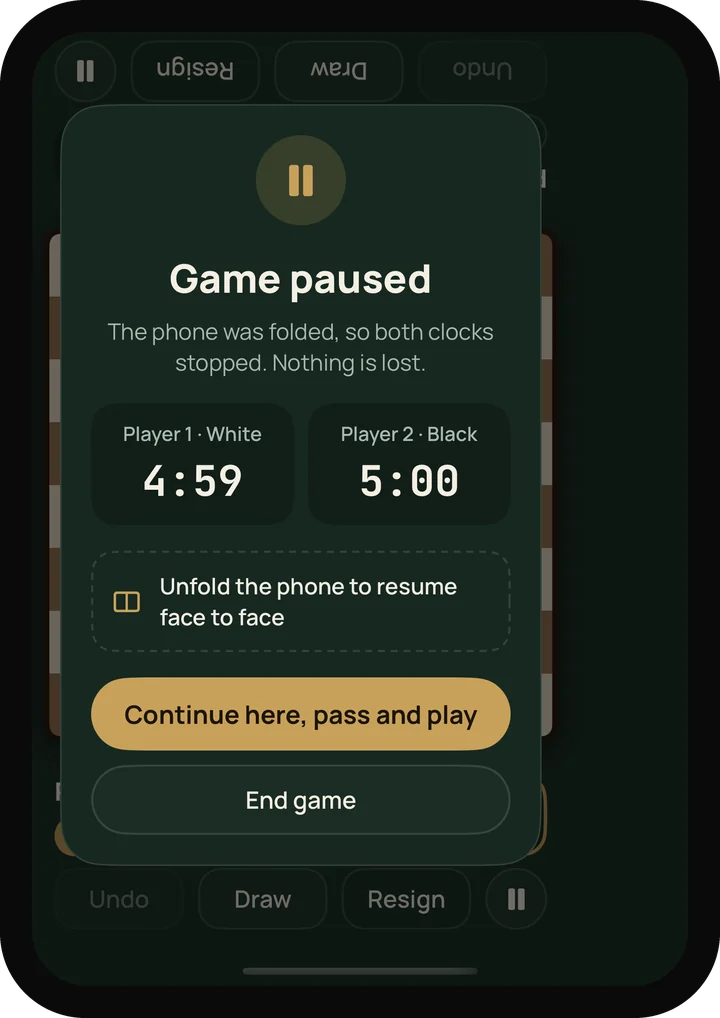
A solo game on the folded iPhone Duo's cover screen. The cover screen after folding mid-game: “Game paused”, both clocks stopped, with options to continue as pass and play or end the game.

iPhone Duo

Unfolded and flat, it's a face-to-face board. Folded, the cover screen is a solo game. Fold during a two-player game and both clocks pause until you open it again.

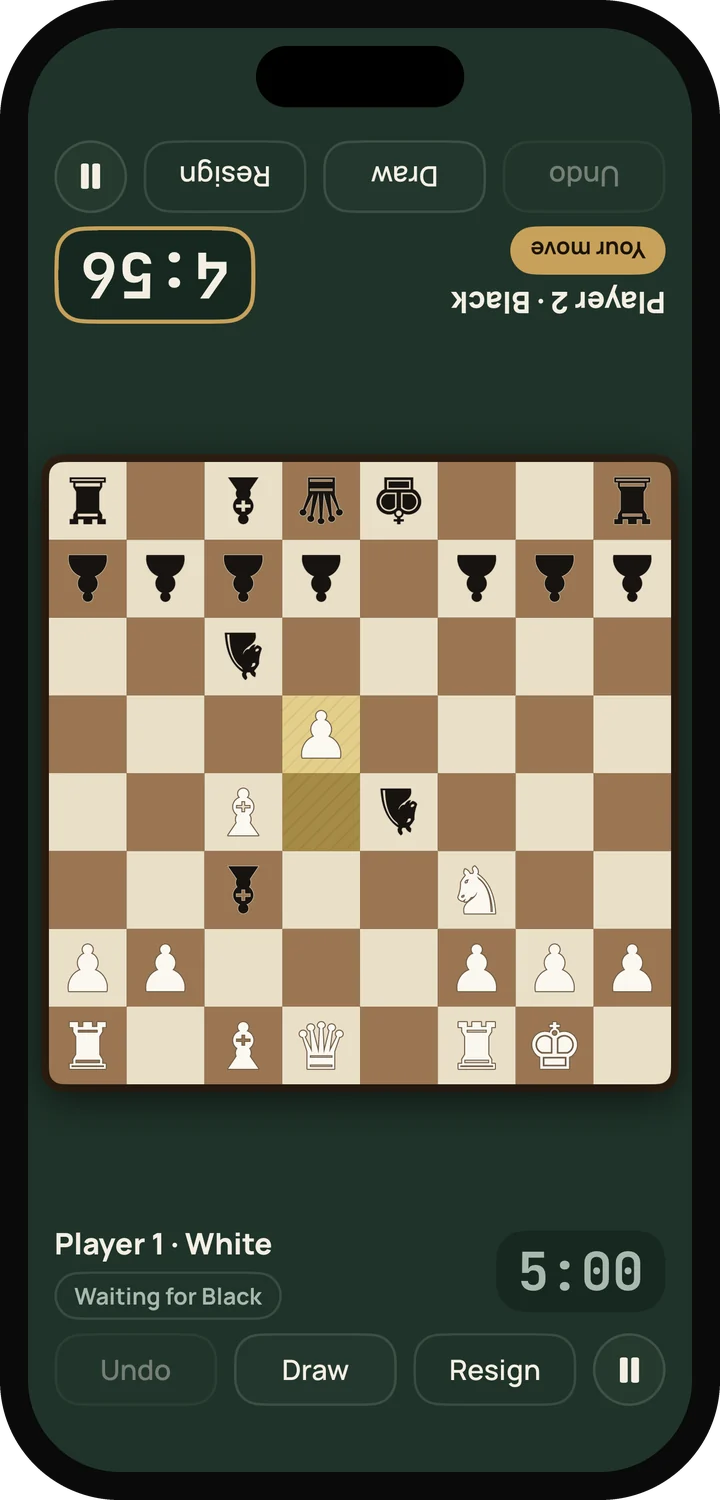
A face-to-face game on a regular iPhone lying flat, with the top player's panel turned upside down.

iPhone

Lay it flat with players at the short ends. The far panel turns upside down.

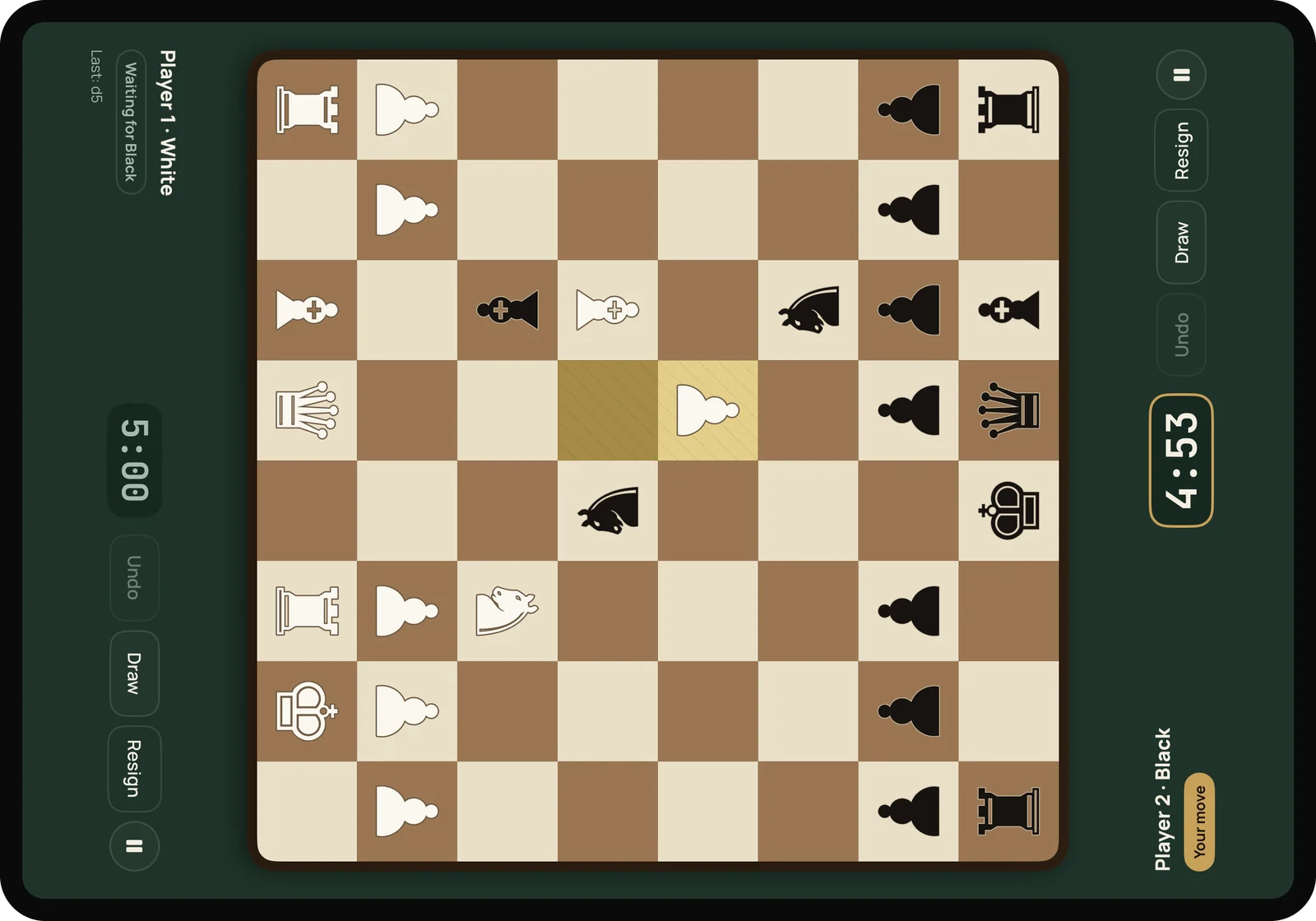
A face-to-face game on an iPad lying flat, with a player's panel on each side of the board.

iPad

The biggest board at the table. Same layout as the unfolded Duo, scaled up.

Our promise

Chess, not a subscription

  • Free to playFace to face, solo and every board tool. No account needed.
  • No ads, no trackingNone in the app, and nothing about you is tracked or sold.
  • One-time Pro upgradeFull analysis of every game, your whole history to replay, unlimited hints. Pay once, keep it.
Duo Chess app icon: a white knight on green and a black knight on brass, nose to nose.

Bring a friend to the table

Or bring your own board. Duo Chess – Face to Face is coming soon to the App Store in English, Spanish, Japanese and Russian.